GoHighLevel CRM Automation

End-to-end solar sales automation built on GHL

A complete 13-workflow automation ecosystem for 88 Solar — from instant lead capture to referral engine. Every touchpoint automated, every lead scored, every follow-up timed.

13
Workflows
13
Pipeline Stages
30+
Custom Fields
100%
Email-Based

11-stage pipeline from lead to referral

Every stage has a dedicated automation workflow that fires when an opportunity enters that stage.

New Lead
Contact Attempted
Consultation Scheduled
Consultation Completed
Proposal Sent
Decision Pending
Closed Won
Installation Scheduled
Installation Complete
Review Requested
Referral Opportunity
Nurture
Closed Lost

All 13 workflows at a glance

Each node represents a published, live automation. Green dot = active and running.

WF #1
New Lead Instant Follow-Up
Form Submitted
WF #2
Consultation Booking Confirmation
Appointment Booked
WF #3
Post-Consultation Follow-Up
Pipeline Stage Changed
WF #4
Proposal Follow-Up
Tag: proposal-sent
WF #5
Contract Signed Onboarding
Tag: contract-signed
WF #6
Google Review Request
Tag: installation-complete
WF #7
Referral Engine
Tag: review-requested
WF #8
Lead Nurture
Tag: nurture-long-term
WF #9
Missed Call Text-Back
Call: no-answer
WF #10a
Lead Score — Engagement Tracker
Multiple tag triggers
WF #10b
Route Hot Leads
Tag: lead-hot
WF #10c
Cold Lead Handler
Tag: lead-cold
WF #10d
Exit Proposal Follow-Up
Proposal exit condition

Every workflow explained

Each workflow is a self-contained automation with triggers, conditions, timed delays, and multi-channel actions designed to move leads through the pipeline.

Workflow #1
New Lead Instant Follow-Up
Published
Trigger
Form Submitted
Fires when a prospect fills out the 88 Solar Lead Form on the landing page funnel.
Purpose
The critical first touchpoint. Within seconds of form submission, the lead receives a personalized solar estimate email calculated from their reported monthly electric bill. This workflow uses a 5-branch If/Else condition on the Electric Bill Range dropdown field — each branch pre-calculates estimated system size, installation cost, monthly savings, and payback period using Update Contact Field actions, then sends a tailored email with those figures. The pricing model uses ₱13,500/kWp installed cost with 50–70% bill savings and a 5–6 year payback window.
Automation Flow
If/Else — Electric Bill Range
5 branches: ₱1K–3K / ₱3K–5K / ₱5K–8K / ₱8K–12K / ₱12K+
Update Contact Field × 4 (per branch)
Sets: Estimated System Size, System Cost, Monthly Savings, Payback Period
Send Email — Personalized Solar Estimate
Merge fields: {{contact.first_name}}, {{contact.contactest_system_size}}, {{contact.contactest_system_cost}}, {{contact.contactest_monthly_savings}}
Add Tag — new-lead
Tags the contact for downstream workflow triggers
Internal Notification → Sales Team
Alerts the team of a new inbound lead with contact details and estimate summary
5
Branches
v19
Versions
0s
Delay
20+
Merge Fields
Workflow #2
Consultation Booking Confirmation + Reminders
Published
Trigger
Appointment Booked
Fires when a lead books a consultation via the 88 Solar Consultation calendar (30-min slots, 4/day max).
Purpose
Reduces no-shows through a multi-touch reminder sequence. Immediately confirms the booking with date/time details, then sends a reminder the day before, and a final 1-hour reminder. Each email includes the reschedule link so prospects can self-serve. This pattern typically reduces no-show rates by 40–60% in solar consultation contexts.
Automation Flow
Send Email — Booking Confirmation
Includes: {{appointment.start_time}}, {{appointment.meeting_location}}, {{appointment.reschedule_link}}
Add Tag — consultation-booked
Triggers pipeline stage move to "Consultation Scheduled"
Wait — Until 1 day before appointment
GHL's appointment-relative wait timer
Send Email — Day-Before Reminder
Reiterates time, location, and what to prepare (electric bill, roof photos)
Wait — Until 1 hour before appointment
Final nudge to reduce last-minute cancellations
Send Email — 1-Hour Reminder
Short, urgent tone. Includes reschedule link as safety valve.
consultation-booked Appointment-relative waits 3 email touchpoints
Workflow #3
Post-Consultation Follow-Up
Published
Trigger
Pipeline Stage Changed
Fires when an opportunity moves into the "Consultation Completed" stage of the 88 Solar Sales Pipeline.
Purpose
The most complex workflow in the system. After a consultation, the prospect is in a high-intent but uncertain state. This workflow runs a 10-day nurture sequence that sends a recap email, proposes next steps, and progressively escalates urgency. It uses two If/Else conditions to check engagement — first whether the prospect replied, then whether they opened/clicked the proposal. Non-responsive contacts receive value-building emails before a final check-in. Engaged contacts are routed to the sales team for immediate follow-up.
Automation Flow
Wait — 2 hours
Gives the sales team time to log notes before automated outreach
Send Email — Consultation Recap
Summarizes discussion, attaches proposal, includes CTA to schedule next steps
Wait — 1 day
Condition — Has contact replied?
YES → Add tag, assign to sales, END. NO → continue to proposal sequence.
Send Email — Formal Proposal
Detailed system specs, financing options, ROI breakdown
Wait — 2 days
Condition — Opened or clicked proposal?
YES → Notify sales team for warm call, END. NO → continue nurture.
Send Email — Value Update
New solar incentives, Meralco rate increases, ROI recalculation
Wait — 3 days
Send Email — Final Check-In
"Are you still interested?" — low-pressure, respectful close
Add Tag — consultation-followup-complete
Signals completion. Lead Nurture workflow (#8) picks up non-responders.
10d
Total Duration
5
Emails
2
Conditions
v9
Versions
Workflow #4
Proposal Follow-Up
Published
Trigger
Tag Added — proposal-sent
Fires when the sales team adds the "proposal-sent" tag after sending a formal proposal to the prospect.
Purpose
Handles the critical window between proposal delivery and decision. Solar proposals are high-value (₱100K–₱1M+) and require multiple touches. This workflow checks whether the prospect opened or engaged with the proposal, then adjusts the follow-up intensity accordingly. Engaged prospects get a gentle nudge; non-engaged prospects get a re-angled value proposition with urgency triggers like Meralco rate increases and limited-time financing.
Automation Flow
Wait — 2 days
Gives prospect time to review the proposal before follow-up
Condition — Has tags include warm-lead?
YES → Notify sales for warm call. NO → continue automated sequence.
Send Email — Proposal Follow-Up
"Did you get a chance to review?" with key highlights repeated
Wait — 3 days
Send Email — Value Reinforcement
Financing options, ROI comparison, testimonial from similar customer
Add Tag — nurture-long-term
Routes to Lead Nurture workflow (#8) for continued engagement
proposal-sent warm-lead check → nurture-long-term
Workflow #5
Contract Signed / Getting Ready For Installation
Published
Trigger
Tag Added — contract-signed
Fires when the sales team marks a deal as closed by adding the "Contract signed" tag.
Purpose
The longest workflow in the system — a 12-step, multi-week onboarding sequence that guides the customer from contract signing through site inspection, permitting, and all the way to installation day. This workflow sends 5 timed emails at key project milestones, each reducing anxiety and building excitement. It also includes 2 internal project update notes for the operations team. The sequence ends by automatically adding the "Installation completed" tag, which triggers the Google Review Request workflow (#6). The total span is approximately 3–4 weeks depending on installation scheduling.
Automation Flow
Send Email — "Welcome to the 88 Solar Family"
Immediate welcome email confirming the partnership and setting expectations
Add Tag — installation-onboarding
Marks contact as in the onboarding phase
Create Or Update Opportunity
Moves opportunity to Installation Scheduled pipeline stage
Wait — 2 days
Send Email — "Site Inspection Scheduled"
Notifies customer of upcoming site inspection date and what to expect
Wait — 3 days
Send Email — "Your 88 Solar Project is Moving…"
Progress update: project is advancing through the pipeline
Wait — 5 days
Internal Note — "Project Update: Permits & Approvals Underway"
Operations team update on permit status
Wait — 5 days
Send Email — "Getting Ready for Your Solar Installation"
Pre-installation checklist: roof prep, electrical panel access, parking for crew
Wait — 3 hours before installation
Appointment-relative wait timer
Send Email — "Today's the Day! Your Solar Installation Has…"
Day-of excitement email with crew arrival time and final instructions
Wait — 6 hours or manually adjusted
Allows time for installation to complete
Add Tag — installation-complete
Triggers the Google Review Request workflow (#6)
12
Steps
5
Emails
~4wk
Total Duration
v7
Versions
contract-signed installation-onboarding 5 milestone emails → installation-complete
Workflow #6
Google Review Request
Published
Trigger
Tag Added — installation-complete
Fires when the operations team confirms installation is finished and adds the tag.
Purpose
Captures social proof at the moment of highest satisfaction — right after the solar system is installed and generating power. The 7-day delay is strategic: it gives the customer time to see their first energy generation data and experience the "wow factor" of watching their meter spin backward. The email includes a direct Google Review link and a brief testimonial prompt to guide the review content.
Automation Flow
Wait — 7 days
Optimal window: customer has seen energy data, excitement is still fresh
Send Email — Review Request
Personalized message with Google Review direct link and review prompts
Add Tag — review-requested
Triggers the Referral Engine workflow (#7)
installation-complete 7-day delay → review-requested
Workflow #7
Referral Engine
Published
Trigger
Tag Added — review-requested
Fires after the Google Review Request workflow completes.
Purpose
Converts satisfied customers into lead sources. Solar is a high-trust, referral-driven business — a single referral from a happy customer has 3–5× higher close rate than cold leads. This workflow waits 14 days after the review request (giving time for the review to be posted), then sends a personalized referral request. It includes a dedicated referral form link where the customer can submit friend/family details. A reminder email fires 7 days later if no referral is submitted.
Automation Flow
Wait — 14 days
Post-review cooldown — lets the review process settle
Send Email — Referral Request
Includes referral form link, incentive details, and "share your experience" CTA
Add Tag — referral-sent
Wait — 7 days
Send Email — Referral Reminder
Gentle nudge for those who haven't submitted a referral yet
Add Tag — referral-reminder-sent
review-requested Referral Form link 21-day total sequence
Workflow #8
Lead Nurture (Long-Term Drip)
Published
Trigger
Tag Added — 88 Solar (long term)
Fires when a contact receives the "88 Solar (long term)" tag — typically from the Missed Call workflow (#9), Post-Consultation Follow-Up (#3), or Proposal Follow-Up (#4) after all other re-engagement attempts have been exhausted.
Purpose
The final automated touchpoint before a lead is considered lost. This is a 5-email drip sequence spanning 52+ days, designed to keep 88 Solar top-of-mind for leads who aren't ready to buy yet. Each email takes a different angle — educational content, social proof, seasonal urgency, and neighbor comparisons. The sequence ends with a respectful "Last email from us" breakup email. If the lead doesn't engage, the workflow automatically marks their opportunity as Closed Lost and adds the "nurture complete" tag, formally ending the sales cycle.
Automation Flow
Send Email — "Thinking about solar? Here's what to learn"
Educational opener — solar basics, ROI overview, net metering explainer
Wait — 15 days
Send Email — "PS1002 saved in one month — here's how"
Real customer savings story — specific peso amount, specific timeframe
Wait — 15 days
Send Email — "Spring season — perfect time to install"
Seasonal urgency angle — optimal sunlight conditions, limited scheduling availability
Wait — 15 days
Send Email — "Four neighbors are saving — are you?"
Social proof / FOMO — local adoption, neighborhood installations
Wait — 15 days
Send Email — "Last email from us"
Respectful breakup email — final CTA, door left open for future contact
Add Tag — nurture-complete
Marks the end of the nurture sequence
Update Opportunity → Closed Lost
Formally closes the lead's opportunity in the sales pipeline
52+
Days Total
5
Emails
5
Angles
v6
Versions
88 Solar (long term) 5-email drip nurture-complete → Closed Lost
Workflow #9
Missed Call Text-Back
Published
Trigger
Call Details — Missed Call
Fires when an inbound call is logged as a missed call. Captures caller ID, timestamp, and contact details for automated follow-up.
Purpose
Captures leads who call but don't reach anyone — a common scenario for small businesses. Speed-to-lead is the #1 factor in solar conversion: responding within minutes increases contact rates significantly. This workflow sends an immediate email, then checks twice (at 2 hours and 1 day) whether the contact has replied. If they reply at any checkpoint, the boss gets notified for personal follow-up. If both checks fail, a final "Last Chance" email is sent and the contact is tagged as unresponsive — routing them to the Lead Nurture workflow (#8) for long-term re-engagement.
Automation Flow
Send Email — "Missed Call" (Default Path)
Immediate automated email to the missed caller — "We missed your call, here's how to reach us"
Wait — 2 hours
Gives the contact time to reply to the initial email
Condition — Tags includes "miss call replied"?
Check #1: Did the contact reply within 2 hours?
YES → Internal Notification (boss missed call)
Alerts the boss that the missed caller has replied — ready for personal follow-up. END.
NONE → Send Email — "Follow-Up"
Second outreach email — different angle, more urgency
Wait — 1 day
24-hour window for the contact to respond to the follow-up
Condition — Tags includes "miss call replied"?
Check #2: Did the contact reply after the follow-up?
YES → Internal Notification (boss missed call)
Alerts the boss — contact replied after follow-up. END.
NONE → Send Email — "Last Chance"
Final outreach before marking the lead as unresponsive
Add Tag — missed-call-unresponsive
Routes to Lead Nurture workflow (#8) for long-term re-engagement
3
Emails
2
Conditions
26h
Total Duration
v3
Versions
Call Details trigger miss call replied check missed-call-unresponsive → Lead Nurture (#8)
Workflow #10a
Lead Score — Engagement Tracker
Published
Trigger
Multiple Tag Triggers
Fires on: email-opened, link-clicked, consultation-replied, or Appointment Scheduled. Any engagement signal activates this workflow.
Purpose
GHL lacks native lead scoring, so this workflow acts as the central engagement classification engine. Every interaction a lead has with 88 Solar's emails, forms, or calendar passes through here. The workflow first adds a generic "engaged" tag, then runs a classification condition that segments leads into three tiers: HOT (multiple high-intent signals like appointment booking or consultation reply), WARM (engaged tag present but no high-intent signals), or COLD (default for low-engagement). Each tier gets a corresponding tag that triggers the appropriate follow-up workflow.
Automation Flow
Add Tag — engaged
Universal engagement marker
If/Else — Classification
Check for high-intent tags (appointment-scheduled, consultation-replied) → HOT. Check for engaged tag → WARM. Default → COLD.
Add Tag — lead-hot / lead-warm / lead-cold
Routes to the appropriate handler workflow (#10b or #10c)
3-tier classification → Route Hot Leads (#10b) → Cold Lead Handler (#10c)
Workflow #10b
Route Hot Leads
Published
Trigger
Tag Added — lead-hot
Fires when the Engagement Tracker (#10a) classifies a lead as HOT.
Purpose
Immediately alerts the sales team when a high-intent lead is detected. Hot leads are prospects who have taken multiple high-value actions — booked appointments, replied to consultation emails, or clicked proposal links. These leads have a 5–10× higher close probability than cold leads and require immediate human follow-up. The internal notification includes the lead's full profile, engagement history, and current pipeline stage so the sales rep can personalize their approach.
Automation Flow
Internal Notification → Sales Team
"🔥 HOT LEAD: {{contact.name}} — {{contact.email}} — Action immediately."
Workflow #10c
Cold Lead Handler
Published
Trigger
Tag Added — lead-cold
Fires when the Engagement Tracker (#10a) classifies a lead as COLD.
Purpose
Flags low-engagement leads for the team without overwhelming them. Cold leads haven't responded to emails, haven't booked consultations, and show minimal interaction. Rather than letting these leads silently churn, this workflow alerts the team to consider manual outreach or move them into a longer nurture sequence. The notification includes a summary of what touchpoints were attempted so the team can decide whether to try a different channel (phone call, visit) or let the Lead Nurture drip do its work.
Automation Flow
Internal Notification → Team Alert
"❄️ Cold lead: {{contact.name}} — no engagement after {{contact.attempted_touchpoints}} touchpoints."
Workflow #10d
Exit Proposal Follow-Up
Published
Triggers (2)
Trigger 1: Contact Tag — contract-signed
Fires when a contact receives the "contract-signed" tag, indicating they've signed a contract and are now a paying customer.
Trigger 2: Opportunity Status Changed — Won
Fires when an opportunity is moved to "Won" status in the pipeline, confirming the deal has closed.
Purpose
A critical cleanup workflow that prevents dead-end automation. When a lead converts — either by signing a contract or having their opportunity marked as Won — this workflow immediately removes them from the Proposal Follow-Up sequence (#4). Without this, converted customers would continue receiving "are you interested?" emails even after they've already bought, creating a confusing and unprofessional experience. This is a best-practice pattern in multi-workflow GHL architectures: always build exit workflows that pull contacts out of nurture sequences the moment they convert.
Automation Flow
If/Else — Either trigger fires
Contact Tag: contract-signed OR Opportunity Status: Won
Remove from Workflow — "4. 88 Solar - Proposal Follow-Up"
Immediately pulls the contact out of the proposal follow-up sequence, stopping all pending emails
END
Workflow complete — contact is now in the post-sale pipeline
contract-signed Opportunity: Won Removes from WF #4 Exit/cleanup pattern

How workflows pass leads to each other

Tags act as the glue between workflows. When one workflow adds a tag, the next workflow's trigger fires automatically — creating a seamless handoff chain.

WF #1 — New Lead Follow-Up
Tag: new-lead
First contact established. Lead enters pipeline at "New Lead" stage.
WF #2 — Consultation Booking
Tag: consultation-booked
Moves pipeline to "Consultation Scheduled." Triggers reminder sequence.
WF #3 — Post-Consultation
Tag: consultation-followup-complete
Non-responders flow into Lead Nurture (#8) for long-term re-engagement.
WF #4 — Proposal Follow-Up
Tag: nurture-long-term
Non-responsive proposal recipients enter the 8-week drip sequence.
WF #6 → WF #7
Tag: review-requested
Google Review request completes → Referral Engine automatically fires.
WF #9 → WF #8
Tag: missed-call-unresponsive
Unresponsive missed call leads enter long-term nurture automatically.
WF #10a → WF #10b / #10c
Tag: lead-hot / lead-cold
Engagement scoring routes leads to the appropriate handler in real-time.
WF #10d → WF #8
Tag: nurture-long-term
Lost proposal leads get a second chance through long-term nurturing.

30+ custom fields powering the automation

Every field feeds into workflow conditions, email merge fields, or lead scoring logic.

Electric Bill Range Dropdown
Estimated System Size Text
Estimated System Cost Text
Estimated Monthly Savings Text
Payback Period Text
Property Type Dropdown
Property Address Textarea
Roof Type Dropdown
Roof Condition Dropdown
Roof Shading Dropdown
Roof Age Text
Homeowner Dropdown
Number of Floors Text
Utility Provider Text
Meralco Customer Dropdown
Financing Needed Dropdown
Budget Range Dropdown
Preferred Payment Dropdown
Credit Score Range Dropdown
Financing Status Dropdown
Installation Timeline Dropdown
Solar Interest Level Dropdown
Urgency Level Dropdown
Existing Solar System Dropdown
Battery Interest Dropdown
Net Metering Interest Dropdown
Lead Score Text
Consultation Date Text
Proposal Sent Date Text
Contract Signed Date Text
Installation Date Text
Referrer Name Text
Referrer Phone Text
Friend's Name Text
Friend's Phone Text
Friend's Email Text

4-page conversion funnel

A purpose-built lead capture funnel designed to convert cold traffic into booked consultations. Every page has a single job — move the prospect one step closer to scheduling.

1. Landing Page
2. 1st Thank You
3. Consultation Booking Page
4. 2nd Thank You
Page 1 — Entry Point
Landing Page
9 Sections
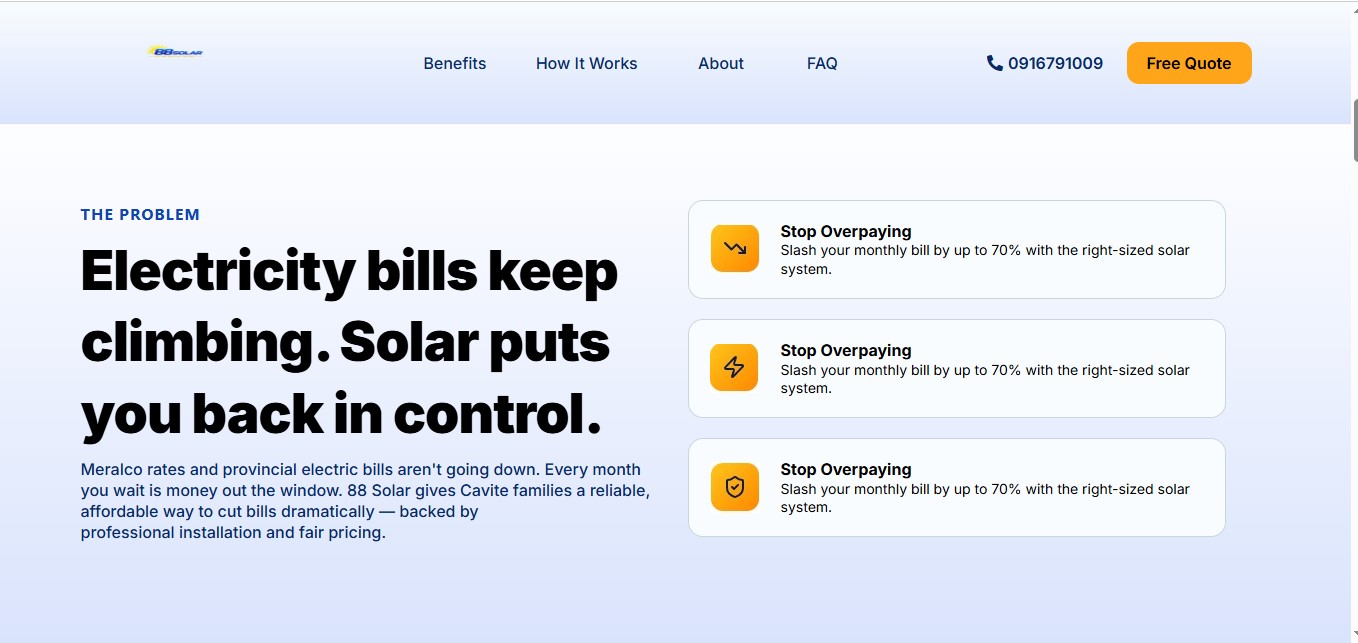
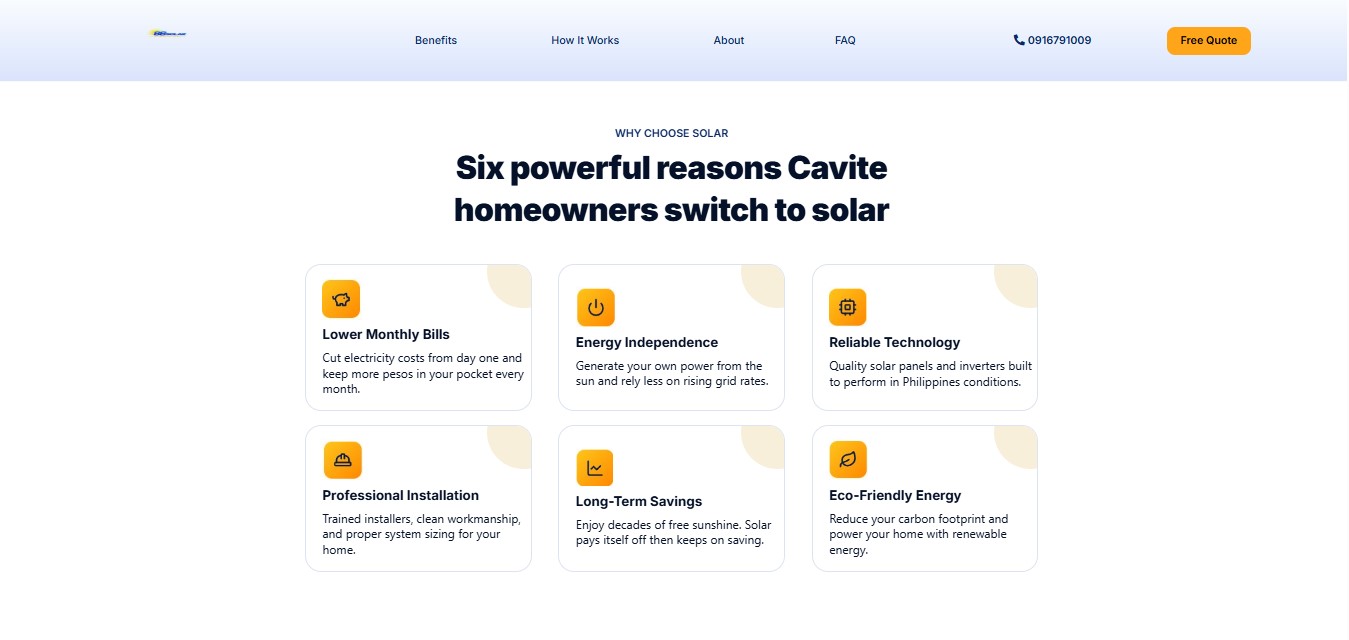
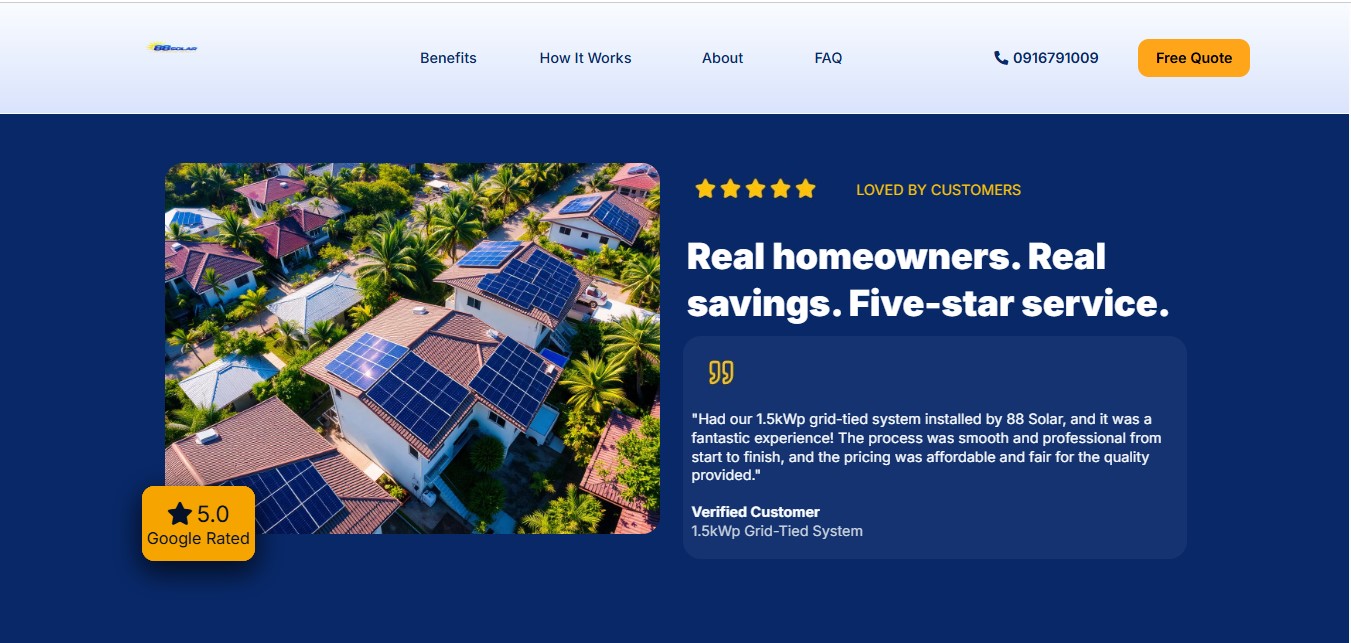
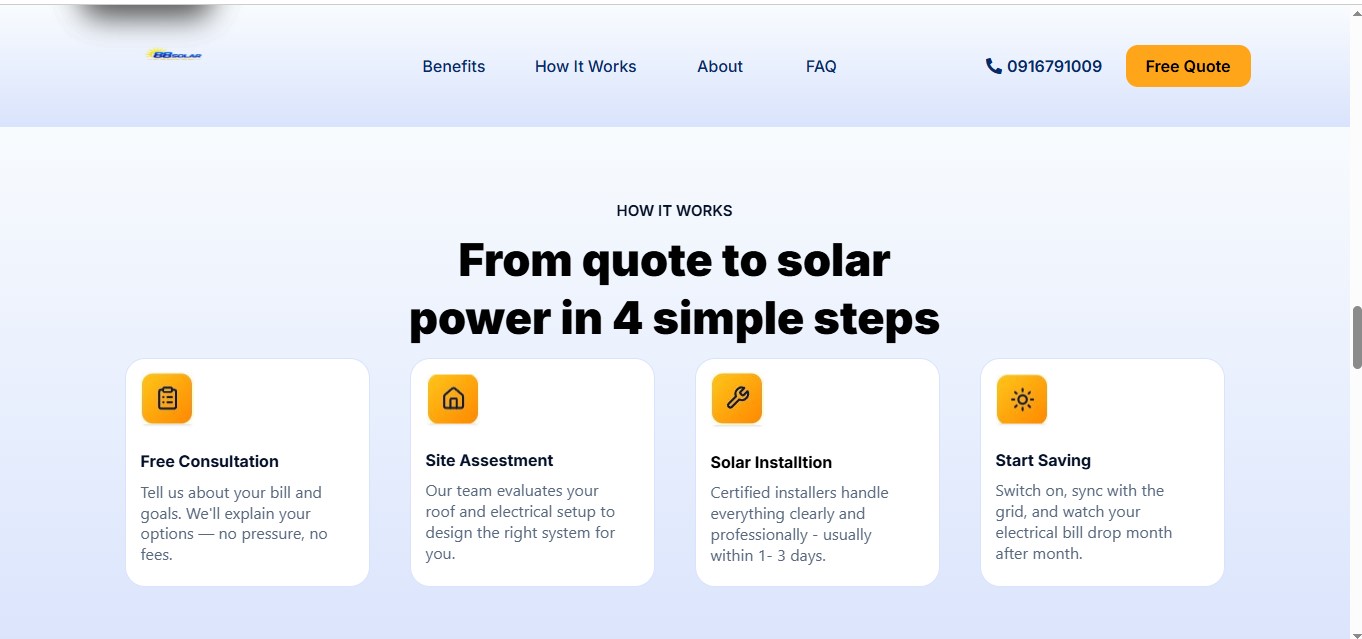
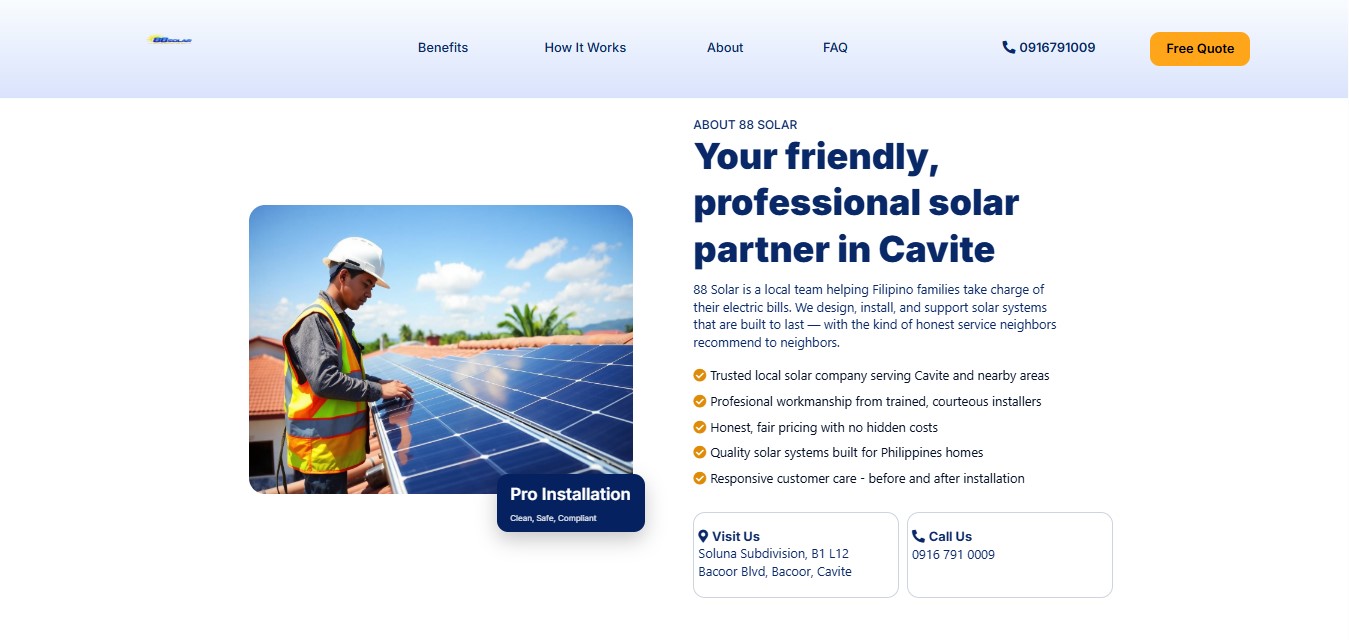
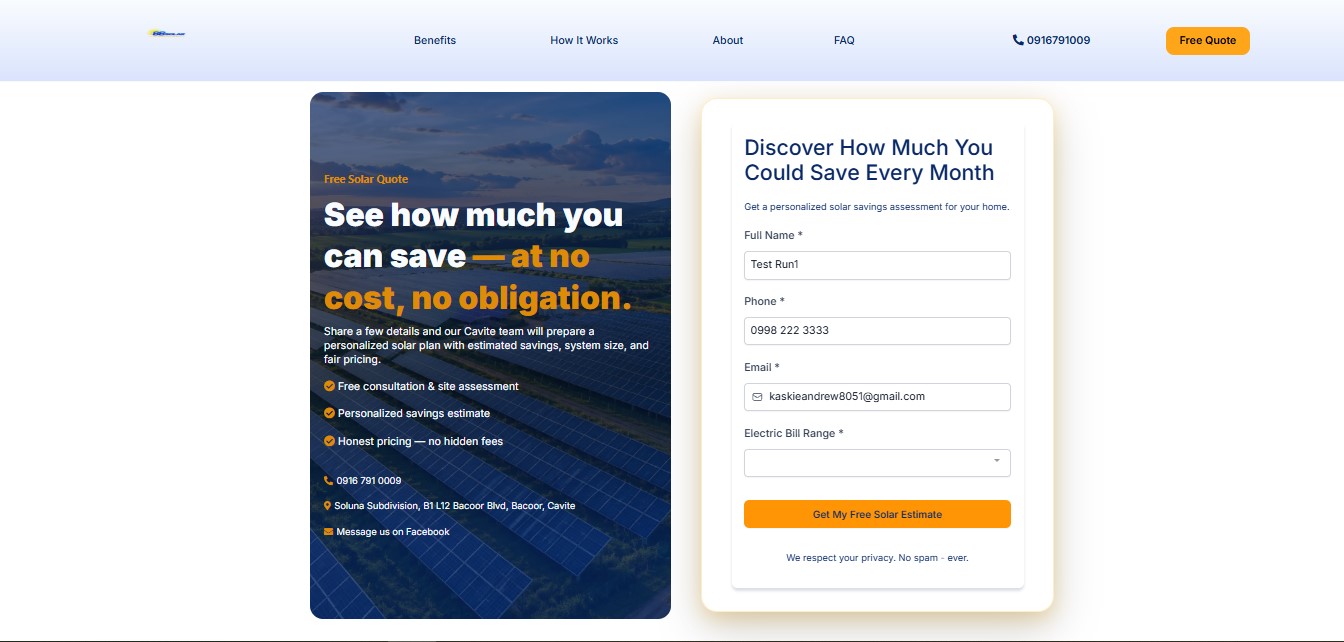
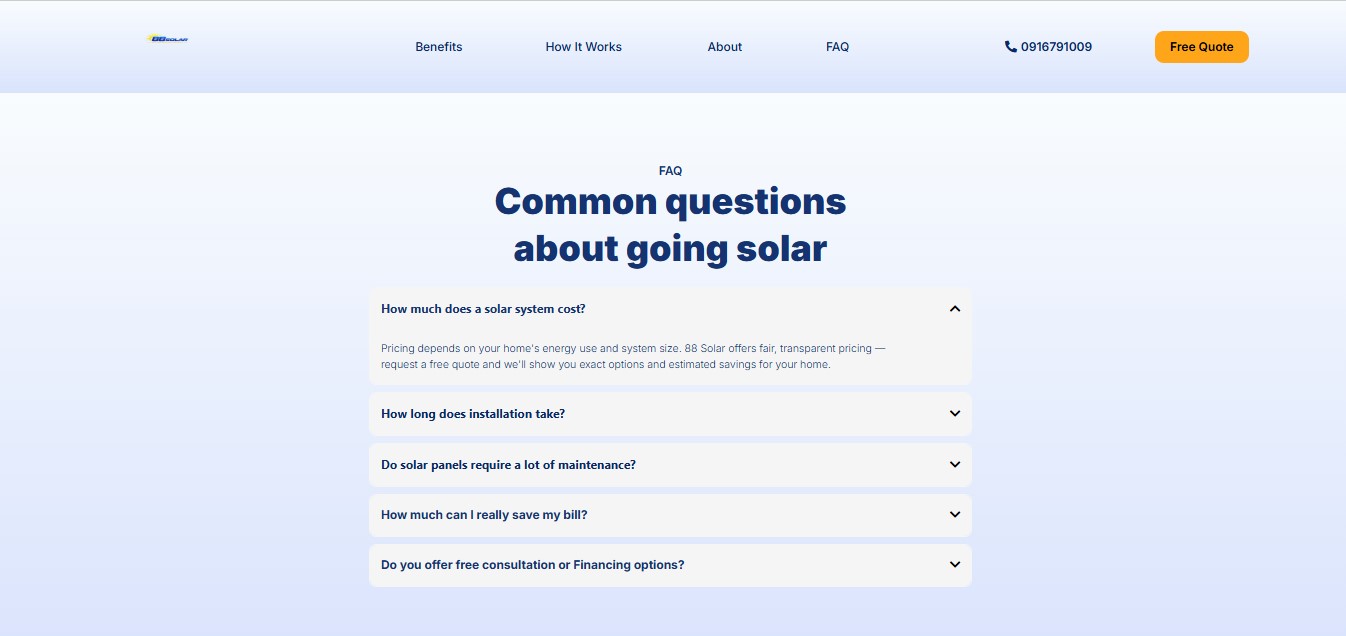
The primary conversion surface. A long-form landing page built to guide prospects through a persuasion sequence before capturing their lead. The page flows from a trust-building hero ("Cavite's Trusted Solar Installer", 5.0 Google rating, 500+ installations) through a problem/solution narrative, a 6-card benefits grid, customer testimonials, a 4-step "How It Works" explainer, an About section with contact info, and finally a lead capture form with dual CTAs ("Get a Free Solar Quote" + "See How Much You Can Save"). The form captures: Full Name, Phone, Email, and Electric Bill Range — the minimum viable data to generate a personalized solar estimate via Workflow #1. A 5-question FAQ section addresses common objections before the footer.
Landing Page - Hero
Hero — Value Prop + CTAs
Landing Page - Problem and Solution
Problem & Solution
Landing Page - Why Choose Solar
Why Choose Solar — 6 Benefits
Landing Page - Testimonials
Testimonials — Loved by Customers
Landing Page - How It Works
How It Works — 4 Steps
Landing Page - About 88 Solar
About 88 Solar
Landing Page - Lead Capture Form
Lead Capture Form + CTA
Landing Page - FAQ Section
FAQ — 5 Questions
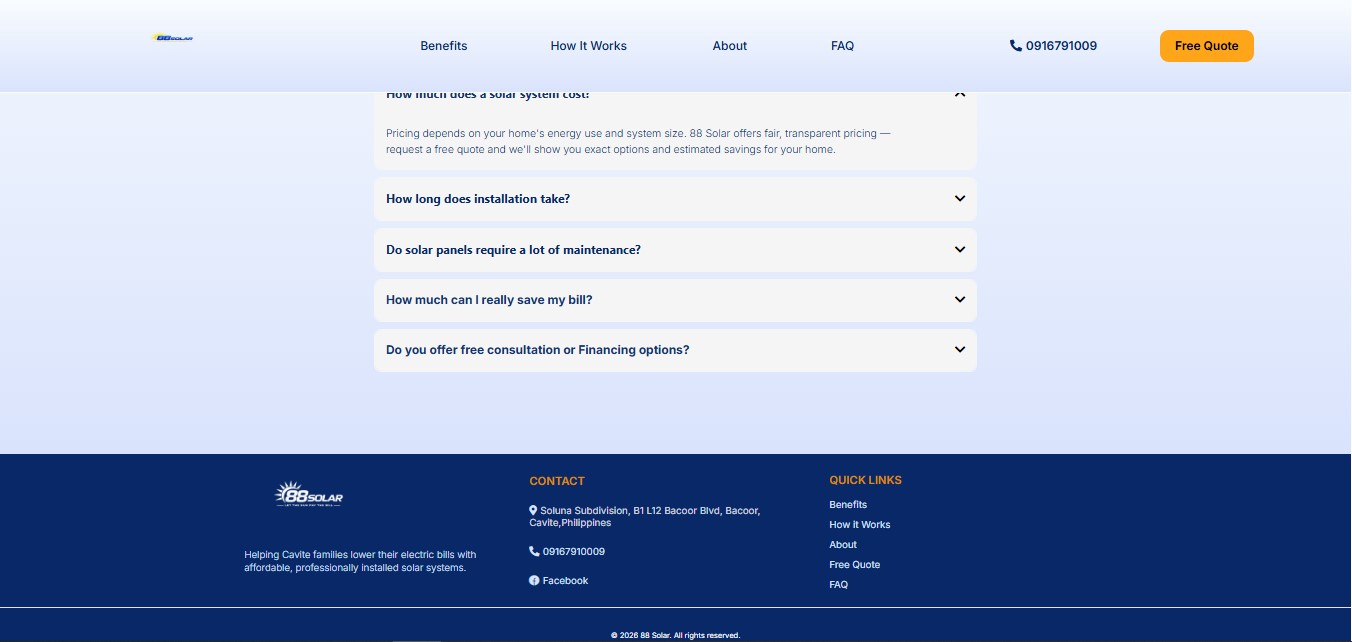
Landing Page - Footer
Footer — Contact + Links
Lead Form Capture Electric Bill Range Dropdown Trust Signals Dual CTA Triggers WF #1
Page 2 — Post-Submit
1st Thank You — Estimate In Progress
Immediately after form submission, the prospect lands here. The page confirms their solar estimate is being calculated — reinforcing that something valuable is happening. It displays a 4-step process walkthrough (Review → Savings Analysis → Consultation → Personalized Estimate) to set expectations and reduce anxiety. The primary CTA shifts to booking a free consultation, with a secondary "Call Now" option. Trust signals (5-star reviews, customer testimonials) address objections at the moment of highest intent.
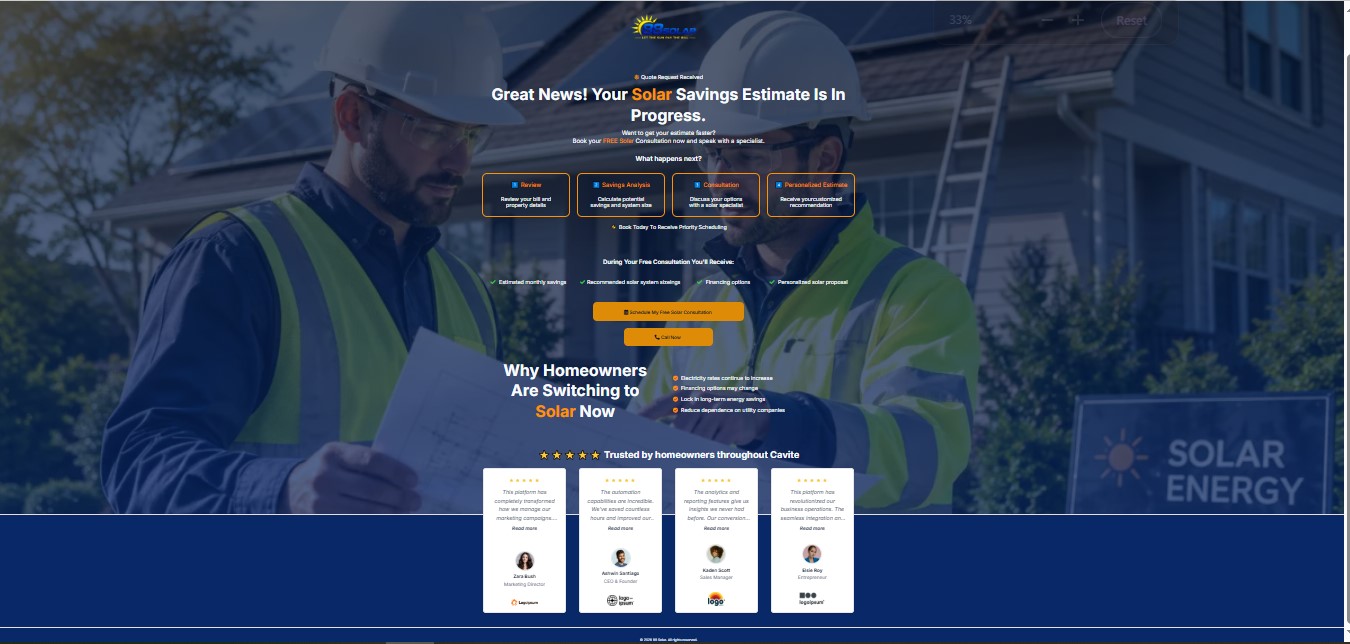
Estimate Confirmation Process Walkthrough Consultation CTA Social Proof
1st Thank You Page
Page 3 — Conversion Point
Consultation Booking Page
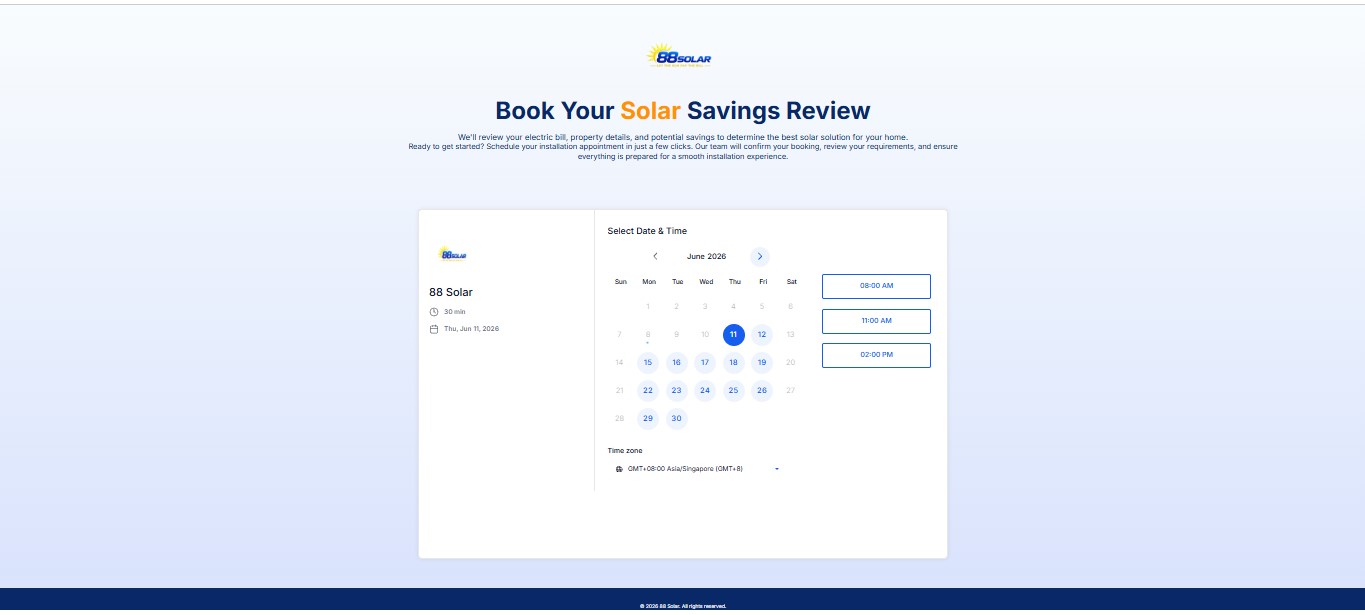
The conversion point. This embeds the GHL calendar (88 Solar Consultation, 30-min slots, 4 per day) directly into the funnel. The page headline — "Book Your Solar Savings Review" — reframes the consultation as a savings review, reducing perceived commitment. Available time slots are shown in the prospect's timezone (GMT+8 Asia/Singapore). Once a slot is selected and confirmed, Workflow #2 fires immediately — sending a booking confirmation email and starting the reminder sequence.
GHL Calendar Embed 30-min Slots 4 Appointments/Day Auto-Confirm Triggers WF #2
Page 4 — Confirmation
2nd Thank You — Appointment Confirmed
The final page in the funnel. Confirms the booking with personalized details using merge fields: {{contact.first_name}}, {{appointment.start_time}}, {{contact.phone}}, {{contact.email}}. Displays a 4-step post-booking journey (Final Project Review → Installation Day → System Activation → Start Saving) to build excitement and reduce buyer's remorse. The headline — "You're One Step Closer to Energy Independence" — shifts the emotional frame from "buying solar panels" to "achieving energy freedom."
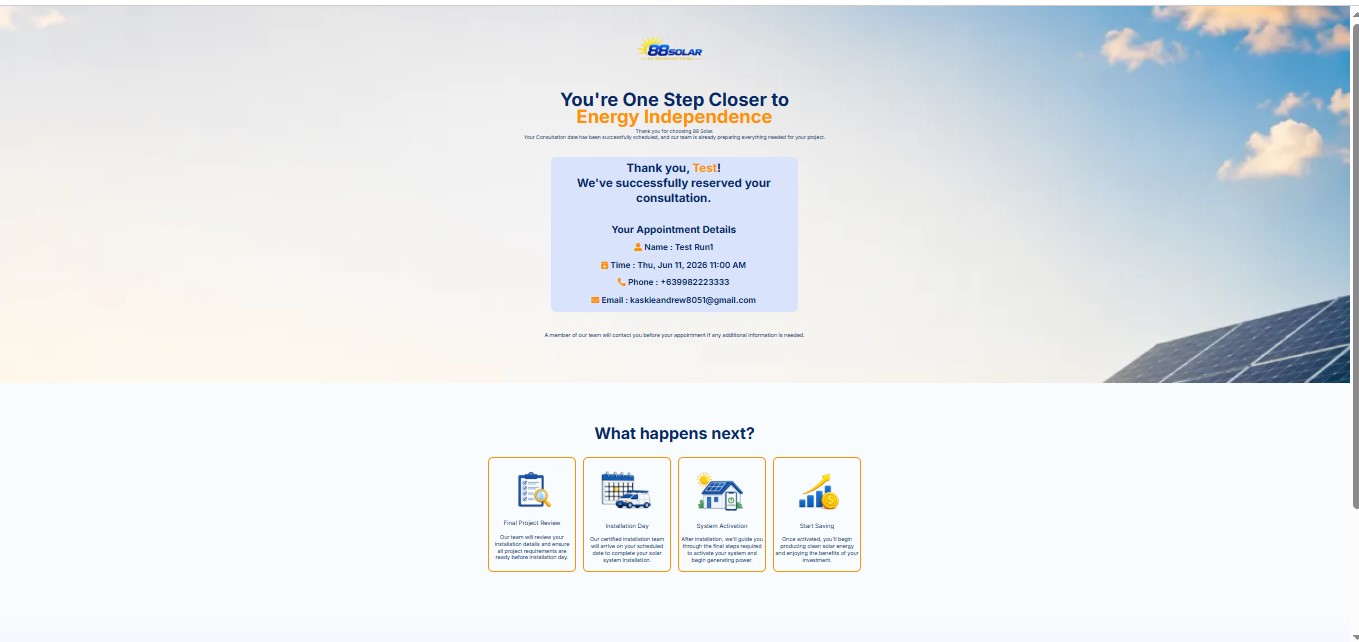
Merge Fields Appointment Details Post-Booking Journey Emotional Reframing
2nd Thank You Page
4
Funnel Pages
9
Landing Sections
30min
Slot Duration
4/day
Max Bookings

Platform & integrations

GoHighLevel CRM
Workflow Builder
Pipeline Manager
Custom Fields API
Email Templates
Calendar Booking
Form Builder
Funnel Builder
Tag Automation
Internal Notifications
If/Else Conditions
Appointment-Relative Waits
REST API (PIT Auth)
Merge Fields
Google Review Integration